Imitation AI — ThinkPromptEvolve

Build AI workflows visually. Chain models. Think in graphs.
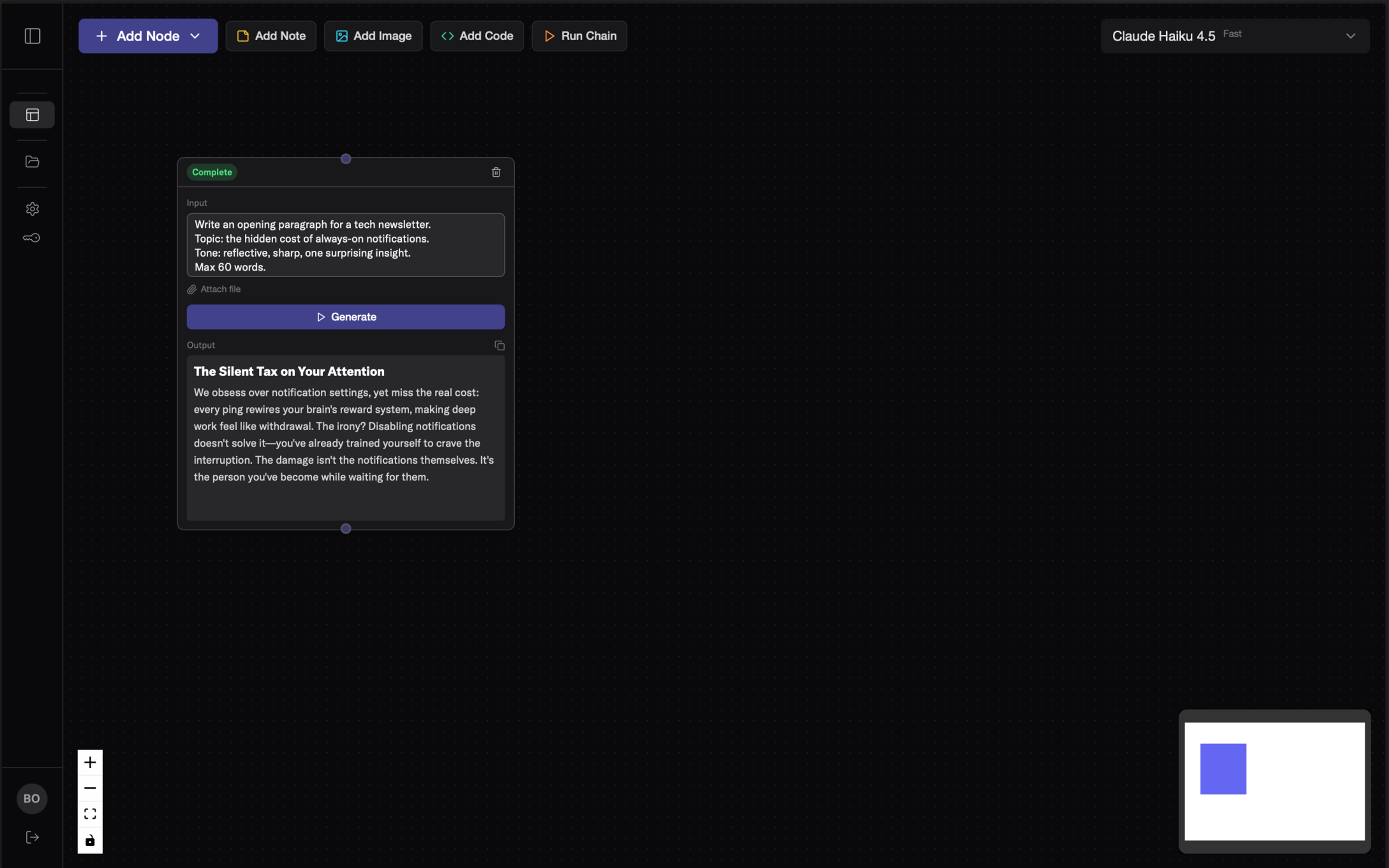
Refine visually

Watch your prompts evolve from first draft to perfection.

See how it works →
Refine visually

Every model. One canvas.

Claude, GPT, Gemini, Grok, Mistral and more. Choose your AI.

Explore models →
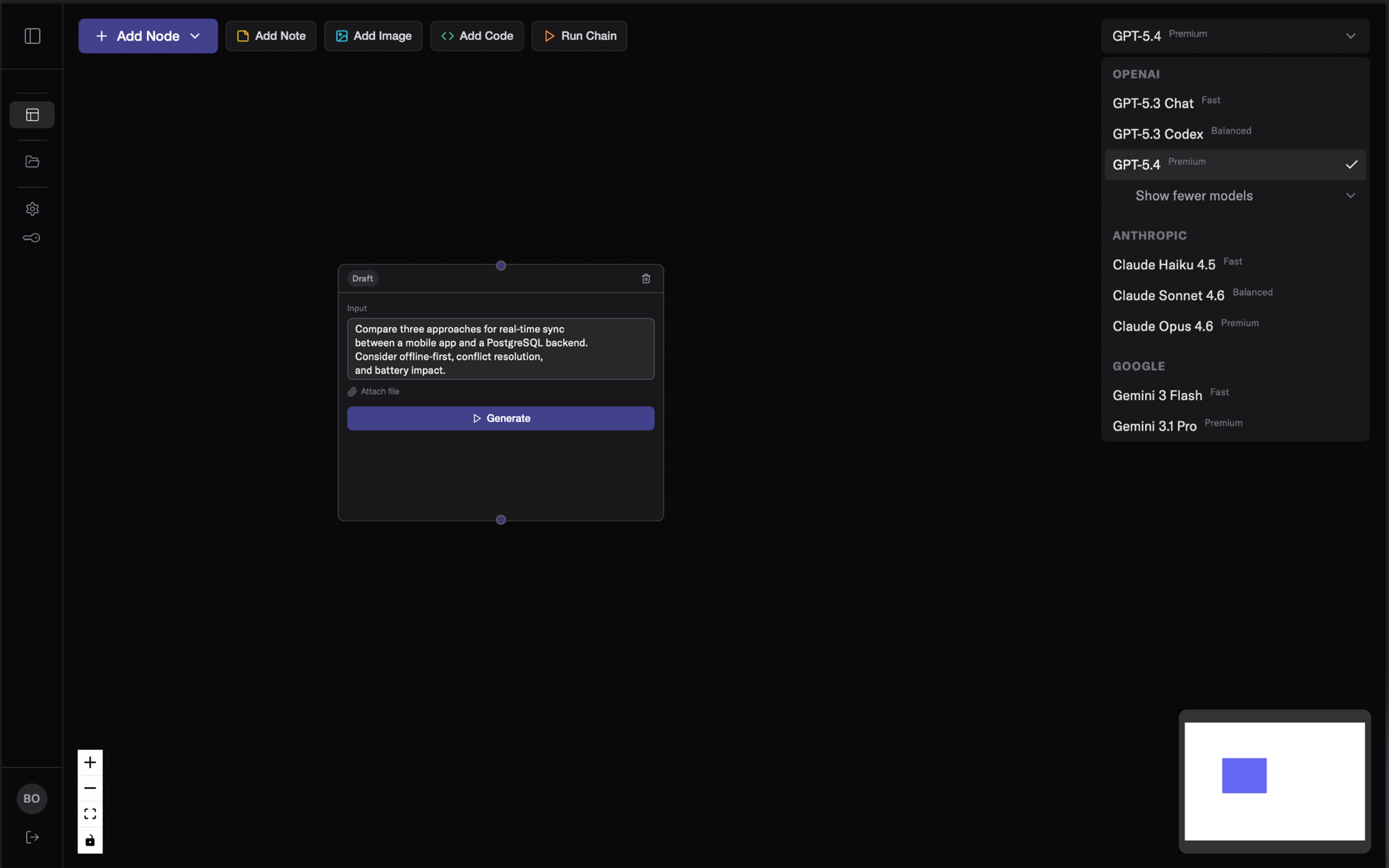
Every model. One canvas.

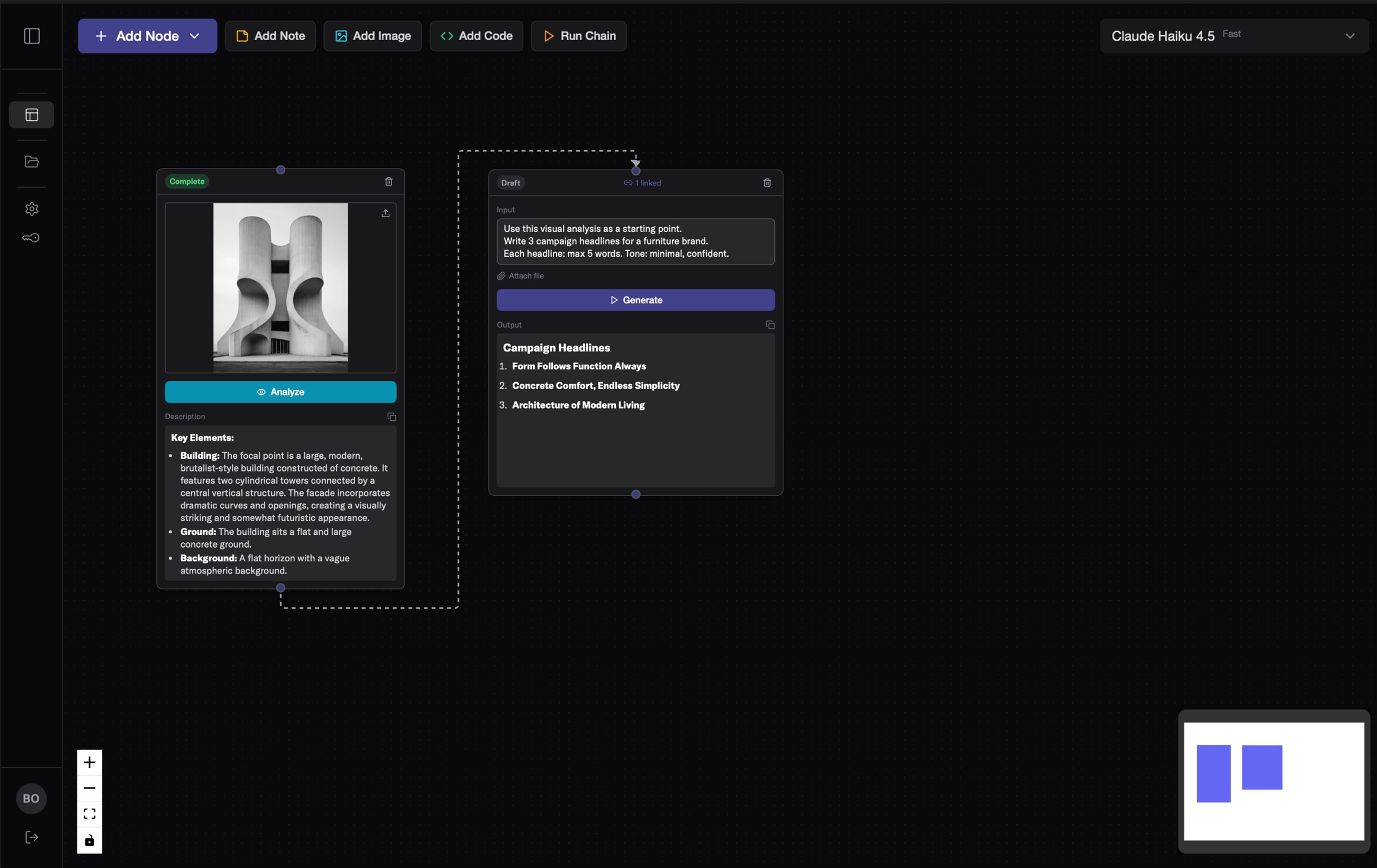
From image to prompt

Upload inspiration. Get a prompt. Perfect it.

Learn more →
From image to prompt

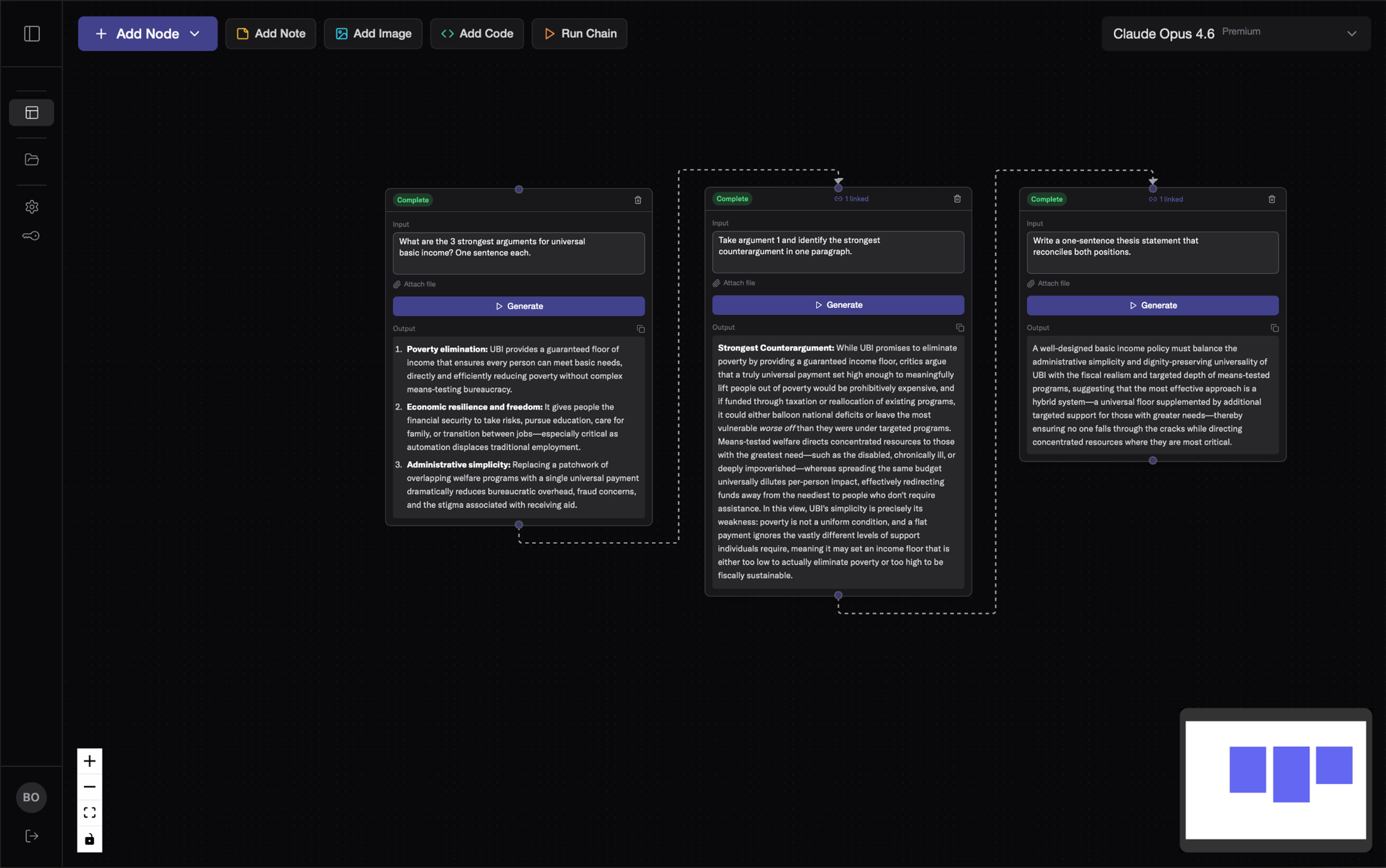
Chain your thinking

Connect nodes. Context flows automatically.

See how it works →
Chain your thinking

A new way to work with AI.

I use Imitation AI for my studies. Projects, exam prep, curriculum planning. Instead of asking one question at a time, I can run multiple prompts in parallel and see how they connect. Everything stays organized on one canvas.

Ulugbek Dosov
Computer Science Student, TU Vienna University of Technology

Budgets, tax summaries, client reports. I generate a draft, edit the numbers directly in the output, and pass the corrected version to the next step. No copy-paste, no starting over. The workflow keeps everything connected.

Abin M T
Financial Accountant

Debugging prompt chains in code is slow. The visual graph lets me see exactly where context breaks before I touch the codebase. That saves hours.

Aleksandar Stojković
Backend Python Developer, Next Net

Changelog

v1.5.8June 1, 2026
  • MiniMax M3: multimodal, 1M context, agentic workflows
v1.5.7May 28, 2026
  • Claude Opus 4.8: sharper judgment, longer independent work
  • Opus 4.6 retired: Haiku, Sonnet, Opus 4.8 cover all tiers
v1.5.6May 18, 2026
  • Streaming output: tokens appear live as they generate
  • Unified generation path with SSE fallback
v1.5.5May 5, 2026
  • Per-node model selection: assign different AI models to individual nodes
  • Multi-model workflows with per-node model control

Start thinking visually.

Get Started